
Attack scenariosBot protection
Parasitic bots
A large share of traffic to a public application is automated. Parasitic bots copy content, try stolen passwords and burn capacity while looking like ordinary visitors.
The problem
Parasitic bots do not exploit a bug. They use the application as it is meant to be used, only faster and at scale: catalogues and prices are copied in bulk, leaked passwords are tried against the sign-in form until some work, accounts are created in bulk, and heavy pages such as search are requested over and over. Each request on its own looks legitimate, so the attack only shows in the pattern.
Attack requests
Catalogue scraping, repeated for every page
GET /catalog?page=184 HTTP/1.1
Host: shop.example.com
User-Agent: python-requests/2.32.3
Password guessing, repeated for every password
POST /login HTTP/1.1
Host: shop.example.com
Content-Type: application/x-www-form-urlencoded

login=alice&password=Summer2024!
How Mikiri WAF counters them
The controls work in layers, and each one can be turned on separately. Anti-bot mode checks that the client is a real browser. A CAPTCHA adds a human check on the URLs that matter most. Traffic analysis finds brute force, flood, DDoS and scraping that get past the browser check, and the source address is blocked. A blocking rule then stops the pattern that the records share.
Anti-bot mode: an HTML and JavaScript check
On the URLs you choose, Filter answers the first request with a short check page instead of the content. JavaScript on that page reads browser and hardware details, such as the screen size, the number of CPU cores, the time zone and the languages, and sends them back to the same URL. Filter passes them to Mikiri WAF MLA, which decides whether they come from a real browser. The visitor sees the page for a moment and then gets the content.
An HTTP library such as python-requests or cURL does not run JavaScript, so it never gets past the check page. A passed check is valid for 24 hours and is shared by every filtering node of the cluster, so a visitor is not checked again on another node.
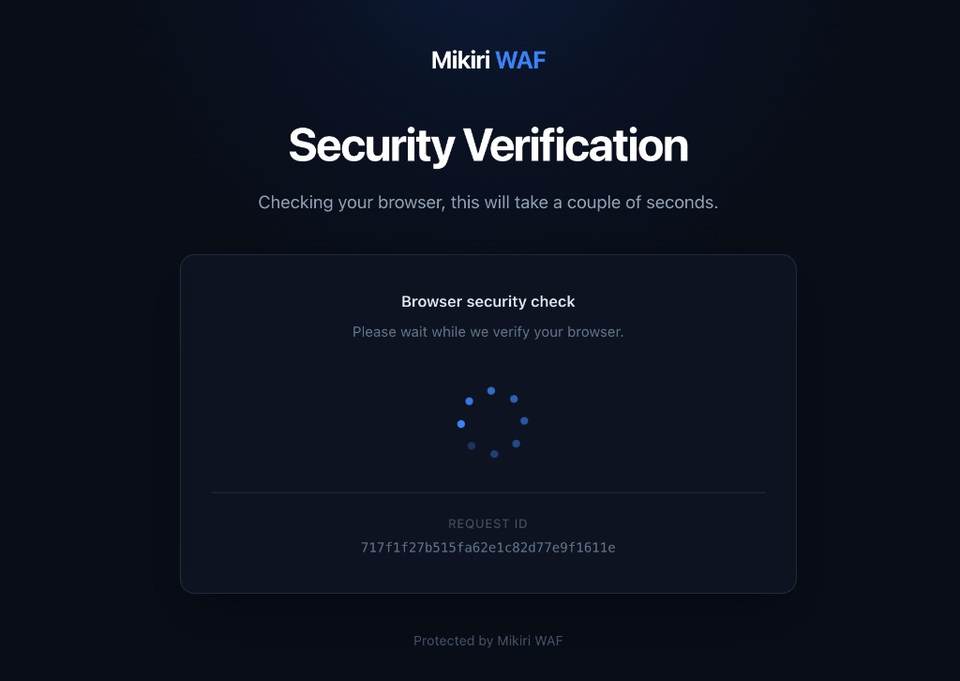
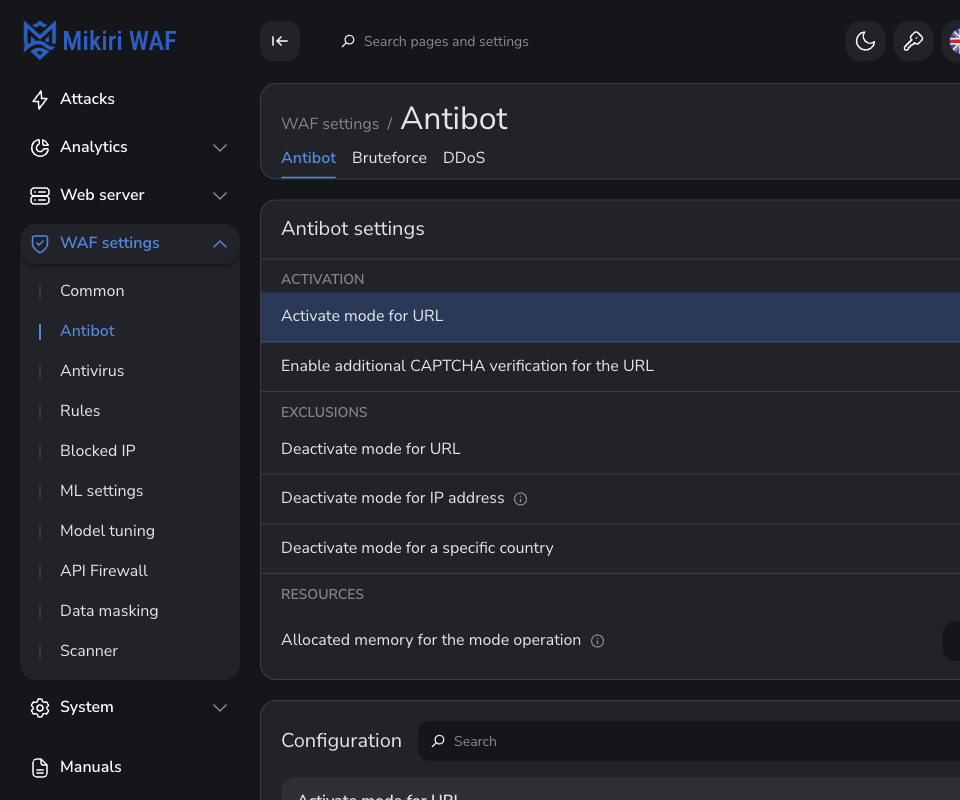
Exclusions leave out chosen URLs, addresses and countries, so API clients and partner integrations that do not run JavaScript keep working. Leave API hosts off the list entirely. The page collects browser details, so mention the check in the privacy policy for visitors.
CAPTCHA on top of the browser check
A bot that drives a real browser can run the check page. For the URLs where that matters, such as sign-in, sign-up or an administration page, a CAPTCHA can be required after the check page. The visitor solves it once, and the address is then verified for 24 hours on every node of the cluster.
The same CAPTCHA lets a real person out of a block. An address blocked as a source of brute force, flood or DDoS can solve the CAPTCHA and is unblocked at once, so a shared office or mobile address does not lock out customers.
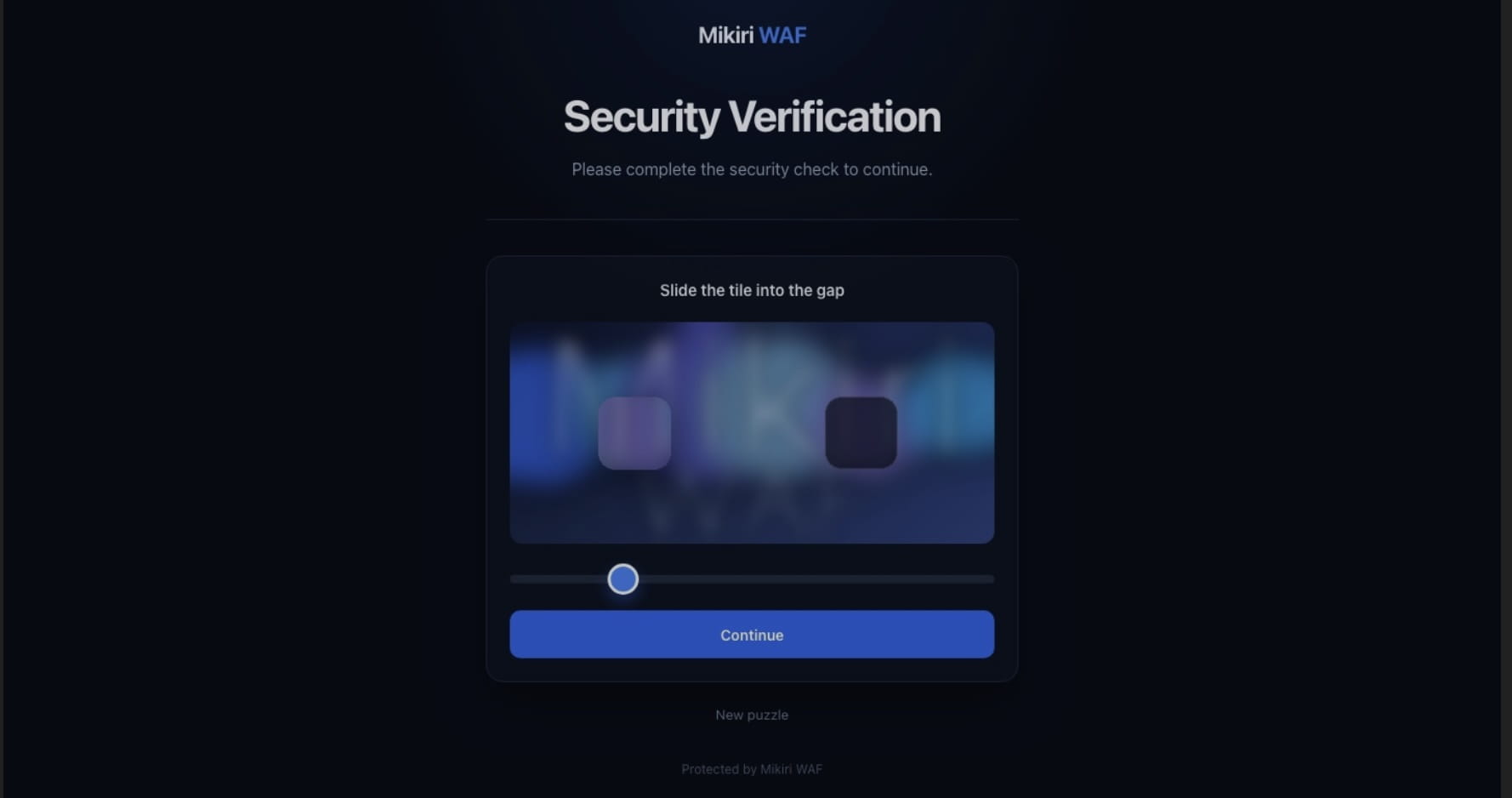
- Mikiri WAF CAPTCHA. A slider puzzle installed next to Filter, as a package or a Docker container. It runs in your infrastructure and calls no external service.
- Another CAPTCHA provider. Any application that answers Filter with the
x-waf-captcha-challengeheader. The documentation includes a ready example for reCAPTCHA.
The visitor stays on the address of the protected site. Filter connects to the CAPTCHA application itself, so that application does not need to be reachable from the internet. Before turning the CAPTCHA on, make sure the chosen service complies with the law that applies to you. The setup is described in Integrating with CAPTCHA.
Brute force and flood on chosen URLs
A rule counts requests to one URL, such as the sign-in form. It can require fields such as password in the query or the body, so only sign-in attempts are counted. When the count in the analysis interval reaches the threshold, the requests are recorded as brute force or flood.
Brute-force rule, example values
- URLshop.example.com/login
- Detection modeBrute-force
- Analysed zonesBody
- Additional conditionpassword
- Analysis interval60 seconds
- Requests needed to trigger10
Application-layer DDoS and web scraping on the whole domain
DDoS and scraping do not concentrate on one URL, so this detection covers the whole domain without a rule per URL. Traffic from all filtering nodes is analysed over the interval you set. Monitoring systems, feeds and partner addresses can be excluded by IP address or by URL. Volumetric network attacks need upstream capacity, so for them Mikiri WAF works together with a third-party anti-DDoS service.
Either detection can run in detection mode for a domain first: the events are recorded, and nothing is blocked until you switch it off.
Blocking the source address
With a rate limit set for the host, the source of brute force, flood, DDoS or scraping goes to the temporary block list on the first detection, for the time you choose. Without a limit, the detection is only recorded on the attacks page.
A blocking rule from the records
The records show what the bot traffic shares, such as a pagination query like page=, a library agent like python-requests and one country. A blocking rule with those conditions stops the whole pattern, also from the new addresses a bot moves to. Start it in detection mode, check the matches on the attacks page, then switch it to blocking.
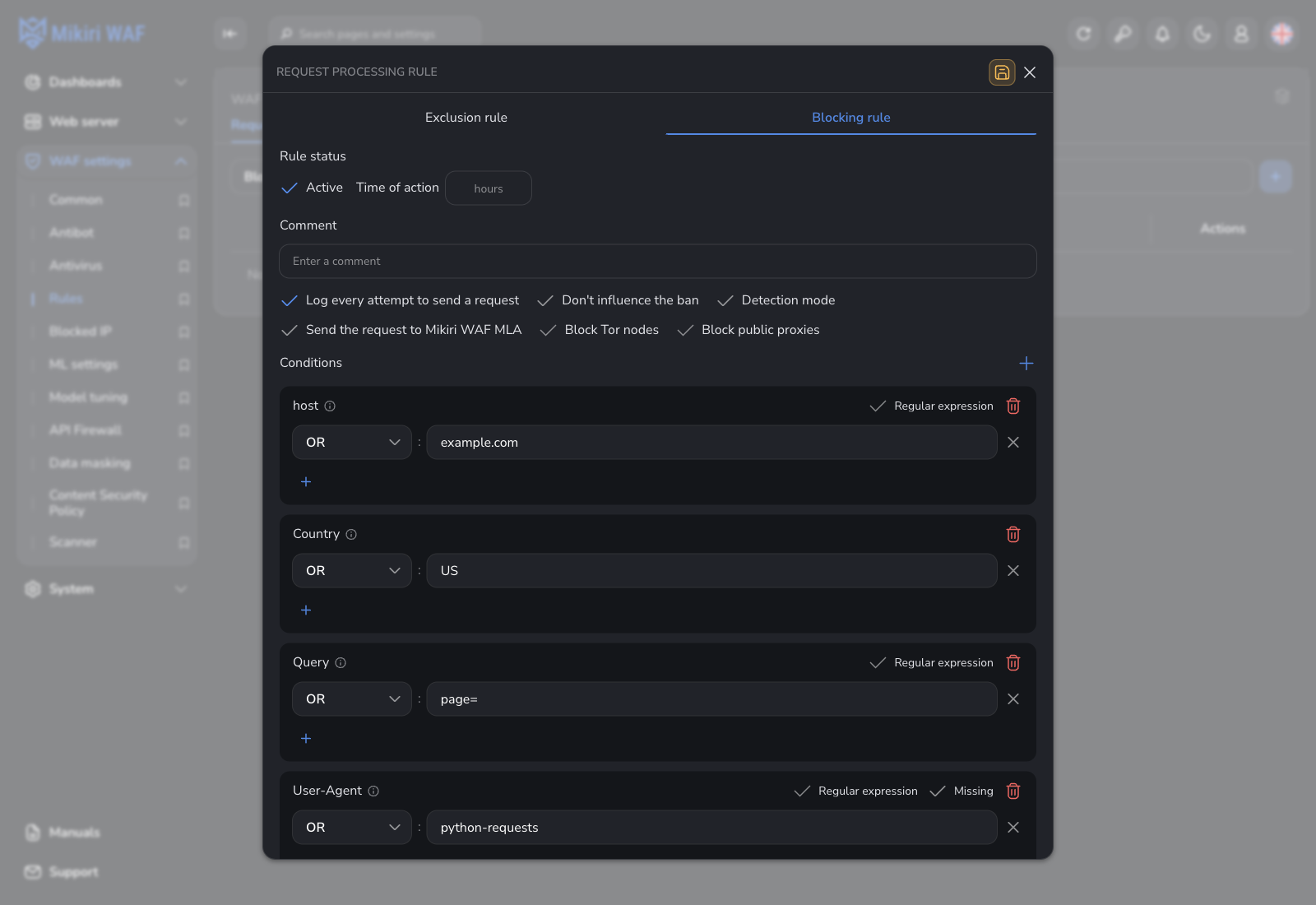
US, query page= and agent python-requests.The same rule can also block Tor nodes and public proxies. Country, proxy, Tor and block-list data on the source address come from Mikiri IPG API.
What you see in WMC
Records appear under the host in Attacks, with their blocking type, the address, the country, the query or body and the User-Agent. Blocked addresses are listed in Blocked IP, under Temporary blocked.
Blocking types
- Brute force7
- Flood9
- DDoS and web scraping10, with the description DDoS or Web scraping
Every step, with the settings in WMC, is described in Countering parasitic bots.
See how much of your traffic is automated
Deploy Mikiri WAF on premises and run detection on your own traffic first, without blocking. Evaluation is free, and application traffic stays on premises.